Operations
How to Structure a Website for a Multi-Brand Ghost Kitchen
A practical page architecture for ghost kitchens running several virtual brands: one page per brand, where ordering links belong, and service area setup.
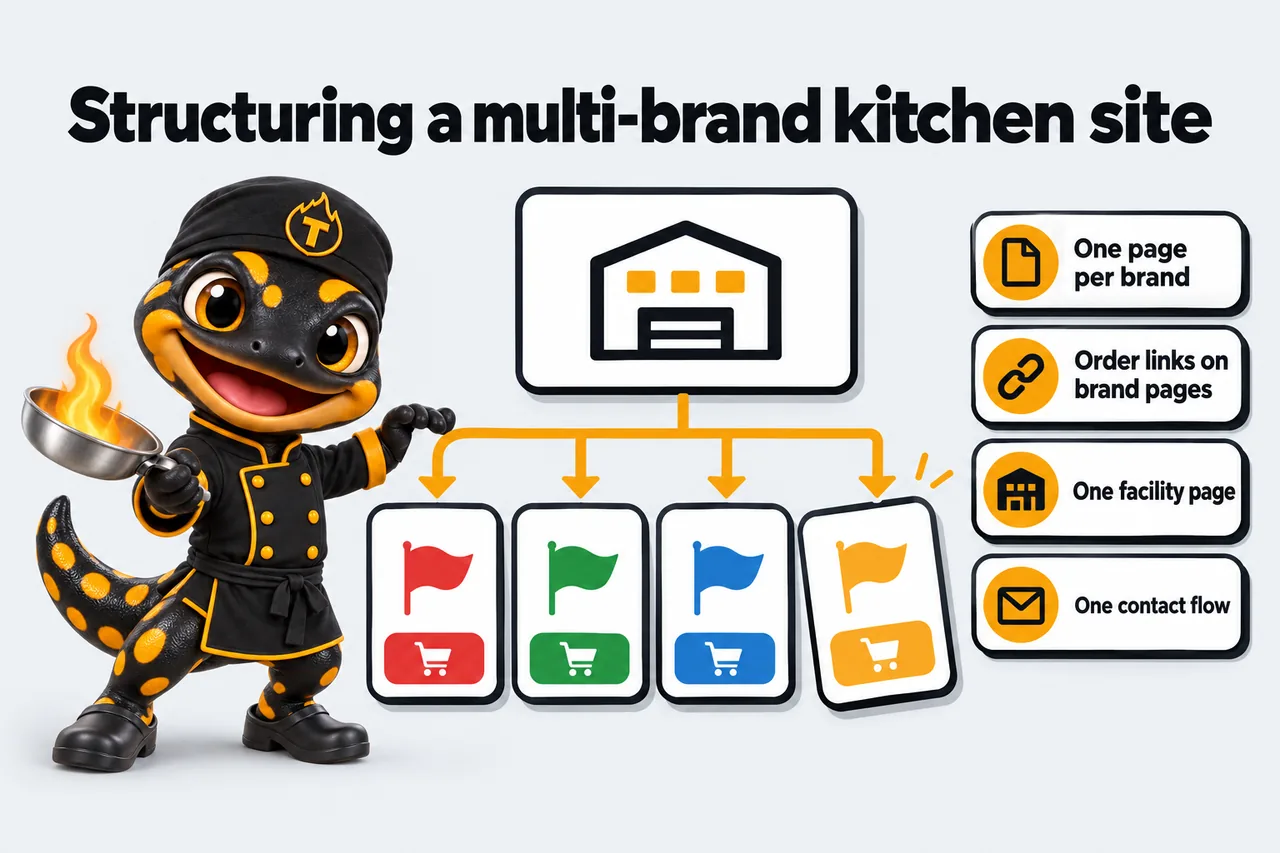
A multi-brand ghost kitchen website works best as one facility hub plus one dedicated page per virtual brand, not a single page trying to carry every menu at once. Give each brand its own indexable page with its own name, its own ordering links and its own service area, then use a short facility-level page to explain the “one kitchen, several concepts” setup for guests who land on the wrong brand by accident. That structure keeps every brand legible to a guest who found it through a search or a delivery app, and it keeps the site from reading as one template with a few words swapped between sections, which is a pattern search engines are built to notice.
Start with one page per brand, not one page per menu item
The instinct with a multi-brand operation is often to build one big site with a mega-menu: Home, then a dropdown listing every brand, then a single long page underneath that tries to hold four menus, four descriptions and four sets of ordering buttons in one scroll. It looks efficient to build. It is confusing to land on, and it makes every brand harder to find on its own.
Each virtual brand is, functionally, its own small restaurant. It has its own name, its own cuisine angle, its own price point and usually its own social presence. Treating it as a section of a bigger page instead of a page in its own right buries all of that under a name a guest has probably never heard, since virtual brands rarely carry the parent kitchen’s identity into their own marketing.
Why a shared menu page undersells every brand
A shared page forces every brand to compete for the same headline, the same hero image and the same short block of text before a guest scrolls further. A guest who searched for the specific brand name, or tapped through from a delivery app listing, lands on a page that spends its first screen introducing three other brands they did not ask about. That is a worse experience for the guest and a weaker signal to a search engine, which generally rewards a distinct, well-defined page for a distinct topic over one page trying to cover several.
What a brand page needs, at minimum
A workable brand page includes:
- The brand name and a one- or two-sentence description of the concept, written the way the brand talks to its own audience, not the way the facility talks about itself.
- A menu or a clear link to the menu, either embedded or linked out to the ordering platform where it lives.
- Ordering links for every platform that brand sells on, from that specific kitchen location.
- The service area or delivery radius that applies to that brand from that kitchen.
- Contact information routed to the right inbox or phone line if the brand handles catering, corrate orders or complaints separately from its siblings.
- Enough visual identity, whether a logo, a color accent or food photography, that the page reads as its own brand rather than a reskinned template.
Brand page vs. the facility’s own about page
These two pages answer different questions, and conflating them is one of the more common structural mistakes on a multi-brand site.
| Question the page answers | Brand page | Facility “about” page |
|---|---|---|
| What is this specific concept and what does it sell? | Yes, in detail | Only in passing, as a list of brands |
| Where can I order this specific brand right now? | Yes, direct ordering links | Links out to each brand page instead |
| Who operates this kitchen and why does it run several brands? | Not the focus | Yes, this is the page’s job |
| Is this a delivery-only facility or a location I can visit? | Answered per brand’s context | Answered once, for the whole facility |
| What service area does this brand cover? | Yes, specific to that brand | General facility service area, if relevant |
A guest who wants tacos should never have to read a paragraph about the commissary’s founding story to find the ordering link. A guest who is curious about the operation behind four different delivery-app listings they’ve noticed should be able to find that story in one place without digging through four separate brand pages to piece it together.
Where delivery platform links belong (and where they do not)
Most ghost kitchen revenue moves through delivery marketplaces, direct ordering, or both, and the website’s job is to get a guest to the right ordering surface with the fewest possible clicks and the least possible ambiguity about which kitchen the order will come from.
Direct ordering vs. marketplace ordering
Two broad approaches show up on ghost kitchen sites. The first links straight out to a marketplace listing, DoorDash, Uber Eats or Grubhub, and lets that platform handle the cart, payment and delivery logistics. The second uses a direct-ordering tool that keeps the guest on the brand’s own site and passes the order to a POS or fulfillment system, which platforms increasingly support as a built-in option. Uber Eats, for example, documents a Webshop feature specifically built to let a restaurant “enable online ordering on their own websites independently of the Uber Eats marketplace listing,” installed either as a shareable link or an embedded ordering button.
Neither approach is universally correct. A newer brand still building marketplace visibility often benefits from sending traffic to its marketplace listing, where reviews and ranking are already accumulating. A brand with its own following, built through social media or word of mouth, benefits more from direct ordering that avoids marketplace commission on every order.
One link per brand, per platform, per location
The detail that trips up multi-brand and multi-location operators specifically: an ordering link is tied to one kitchen. If a brand operates out of two commissary facilities across town from each other, a single link cannot correctly route an order to whichever kitchen is actually closer to the guest. Uber Eats’ own Webshop documentation addresses this directly, noting that merchants “can limit Webshop to specific restaurant locations by generating unique links per location.” That is not a minor technical footnote, it is the reason a multi-location brand page needs to detect or ask for the guest’s location before showing an ordering link, rather than showing one link and hoping it is the right kitchen.
A simple procedure for setting up ordering links across several brands
For an operator running, say, three virtual brands out of two kitchen facilities, the ordering-link setup looks roughly like this:
- List every brand and every kitchen facility it operates out of, as a grid of brand rows and location columns.
- For each brand-location pair, confirm which delivery platforms that specific kitchen is active on. Not every brand needs to be on every platform from every kitchen.
- Generate the platform-specific link or button for that exact brand-location pair, using each platform’s own merchant tools rather than reusing a link from a different location.
- Place those links on the correct brand page, grouped under the correct location if the brand serves more than one address, rather than pooling every link for every brand on one shared ordering page.
- Test each link from a fresh browser session to confirm it opens the correct brand’s storefront on the correct platform, not a generic marketplace search result.
- Re-check the full grid whenever a brand launches in a new location or a platform relationship changes, since a stale link quietly sends guests to a kitchen that can no longer fulfill the order.
That checklist is tedious for a four-brand, two-location operation and genuinely unmanageable by hand for anything larger, which is one of the reasons a properly built features page for ordering and platform links matters more for a multi-brand kitchen than it does for a single storefront restaurant with one menu and one address.
Service area and location pages for a facility that is not a storefront
A ghost kitchen’s relationship to its physical address is different from a sit-down restaurant’s, and the website’s location pages need to reflect that difference rather than copying a template built for a dining room.
Service-area business vs. hybrid business
Google Business Profile support distinguishes between a hybrid business, which serves customers at its own address and also delivers or visits them, and a pure service-area business, which “visits or delivers to customers directly but doesn’t serve customers at their business address.” A restaurant with a dining room and delivery is hybrid. A commissary kitchen producing only for delivery, with no guest-facing storefront, fits the service-area definition far more closely.
That distinction is not cosmetic. Google Business Profile support states plainly that “you should only choose to not show your address if your business is a service-area business,” and that service-area businesses can add up to 20 service areas by city, postal code or other geographic designation rather than a fixed radius around a single point.
When to hide the kitchen’s address
For most ghost kitchens, the facility address should not appear as a place to visit, because it isn’t one. Google’s own guidance is direct on this point: “if you don’t serve customers at your business address, remove your address from your Business Profile.” A website that prominently displays a commissary’s street address invites guests to drive there expecting a counter to order from, which the kitchen was never built to provide. The service area, expressed as neighborhoods, ZIP codes or a delivery radius per platform, is the information a guest actually needs.
This is one of the areas where a multi-brand operator has to make a judgment call rather than following a single template: if two brands genuinely operate from two different physical facilities, each facility’s service area should be represented separately, because the delivery radius from one kitchen has no bearing on what the other kitchen can reach.
One profile per brand, or one for the facility?
There is no single correct answer here, and it depends on how independently each brand is meant to be discovered. A brand with real marketing spend and its own following usually benefits from its own Business Profile, service area and reviews, separate from its siblings. A smaller or newer brand riding on the facility’s existing visibility may be better served, at least initially, by a facility-level profile that lists all active concepts, with individual brand pages doing the work of separating them once a guest reaches the website itself. What matters is that whichever structure is chosen, it stays consistent: mixing one brand with its own profile and three brands folded into a shared one, with no explanation of which is which, confuses both guests and the platforms trying to index the business correctly.
What changes when one facility runs four brands
A single-brand ghost kitchen website and a four-brand operator’s website are not the same project scaled up, they differ in what has to be duplicated and what should stay shared.
Shared infrastructure, separate identities
The facility’s hosting, analytics, contact routing and site speed budget are shared resources: one well-built, fast site serves every brand equally, and a single 90-plus PageSpeed target, the kind of loading, responsiveness and visual-stability performance Google’s Core Web Vitals documentation measures through metrics like Largest Contentful Paint and Cumulative Layout Shift, benefits every brand’s page at once rather than needing to be chased separately per brand. What should not be shared is brand voice, brand imagery and brand-specific ordering flow. A four-brand kitchen that reuses the same hero photo style, the same paragraph structure and the same call-to-action wording across every brand page is optimizing for build speed at the cost of making each brand forgettable.
Avoiding duplicate-page and doorway-page problems
This is worth being specific about, because it is a real technical risk for multi-brand sites, not just a design preference. Google Search Central’s spam policies describe “doorway abuse” as pages “created to rank for specific, similar search queries,” including the pattern of “creating substantially similar pages that are closer to search results than a clearly defined, browsable hierarchy.” A set of four brand pages that share the same three paragraphs of boilerplate with only the brand name and logo changed sits uncomfortably close to that description. The fix is straightforward even if it takes real writing effort: each brand page needs its own concept description, its own framing of the menu, and its own reason to exist as a distinct page, tied together by a clear hierarchy, a facility page linking out to each brand, rather than four near-identical pages competing for the same search intent.
Internal linking between brand pages
The facility’s about page should link to every active brand’s page, and each brand page should link back to the facility page rather than to its sibling brands directly. That keeps the hierarchy Google’s spam guidance describes as the alternative to doorway pages: one clear parent page, several clearly differentiated child pages, instead of a tangle of brand pages cross-linking to each other with no organizing page above them. It also matches how a guest actually thinks about the operation: someone who found one brand rarely needs to be routed sideways into another brand’s ordering page, but a guest curious about the operation behind several brands they’ve noticed does want the one page that explains the connection.
A well-built pricing structure across “The Line,” “The Pass” and “Head Chef” tiers exists in part because a single-brand kitchen and a four-brand operator need genuinely different amounts of page architecture, revision capacity and, for kitchens on “The Pass” or “Head Chef,” AI-assisted intake or content support to keep four sets of brand pages current instead of one. For an operator specifically weighing whether this applies to their setup, the /for/multi-brand-operators and /for/ghost-kitchens pages walk through how the page count and revision needs typically differ between a single concept and several run from one commissary.
Where food safety and licensing questions do not belong on this list
Nothing in this guide covers food safety, allergen disclosure, nutrition labeling or the licensing requirements for operating multiple food brands out of one commercial kitchen. Those are real, serious questions for any multi-brand operator, and they deserve a real answer from a licensed professional, an inspector, or the specific state or local health authority governing the facility, not a marketing website’s blog post. If a decision in this guide, such as how a brand describes its menu or how a service area is defined, intersects with an allergen or licensing question, treat that as a signal to confirm with the appropriate authority before publishing, not as something this guide has already resolved.
A simple checklist before you launch
Before a multi-brand ghost kitchen site goes live, it helps to run through the structure once as a single list rather than checking each section in isolation:
- Every active brand has its own page, with its own description, menu link and ordering links, not a shared section on a combined page.
- Every ordering link has been tested from a fresh browser session and opens the correct brand’s storefront on the correct platform.
- Every brand-location pair that needs its own ordering link has one, rather than one link reused across locations it does not actually serve.
- The facility’s Business Profile correctly reflects whether it is a service-area business, a hybrid business, or, for a multi-location operator, several profiles set up consistently.
- The facility address is hidden on any profile where guests are not meant to visit in person, per Google’s own service-area guidance.
- A facility-level about page exists and links to every brand, and every brand page links back to it, rather than brand pages linking sideways to each other with no organizing page above them.
- Each brand page has enough distinct content, its own concept description and its own framing, that it would not read as a near-duplicate of a sibling brand’s page with the name changed.
- The site loads fast enough to meet the Core Web Vitals thresholds Google documents for a good user experience, since a slow page costs every brand on the site, not just one.
- Contact and inquiry forms route to the correct person or team per brand, especially for brands that handle catering or bulk orders differently from the kitchen’s everyday delivery volume.
- Nothing on the site makes a food safety, allergen or licensing claim that hasn’t been confirmed with a licensed professional or the relevant health authority.
Running through that list before launch catches most of the structural problems that show up later as confused guests, misrouted orders, or a set of brand pages that all start to look like the same page wearing different logos.
A multi-brand ghost kitchen is, in a real sense, several small businesses sharing one kitchen and one bill of infrastructure, and the website should mirror that: separate enough that each brand gets a fair chance to be found and ordered from on its own terms, and connected enough that the whole operation still reads as one well-run facility behind the scenes. Getting that balance right at launch, rather than retrofitting it after four brands have already accumulated four inconsistent pages, is most of what separates a site that quietly supports growth from one that has to be rebuilt every time a new concept launches. If you’re weighing how this applies to your own kitchen’s page count, service areas and ordering setup, booking a demo is the fastest way to walk through it against your actual brand list rather than a generic template.
Sources
- Google Search Central: Spam policies for Google web search (doorway pages)
- Google Search Central: Understanding Core Web Vitals and Google Search results
- Google Business Profile Help: Manage service areas for service-area and hybrid businesses
- Google Business Profile Help: Manage your business address
- Uber Eats Help: Getting started with Webshop
Frequently asked questions
Should each virtual brand get its own website, or its own page on one website?
For most operators, one website with a dedicated page per brand works better than separate domains. Each brand page gets its own name, description and ordering links, which satisfies the guest and the search engine, while the facility keeps one set of hosting, analytics and maintenance to manage instead of three or four. Separate domains only start to make sense once a single brand has grown large enough to justify its own marketing budget and content calendar independent of the kitchen that produces it.
Where should DoorDash, Uber Eats and Grubhub links go on a ghost kitchen website?
On the page for the specific brand and location they apply to, not buried on a shared contact page. If a brand operates out of two facilities, each location needs its own ordering links, because a single link tied to one kitchen cannot route an order placed for the other address. Uber Eats documents this directly: merchants can generate a unique Webshop link per location specifically so multi-location operators avoid sending every order to one kitchen.
Should a ghost kitchen show its street address on its website and Google Business Profile?
Only if guests are meant to arrive there. Google Business Profile support draws a clear line between a hybrid business, which serves customers at its address and also delivers, and a pure service-area business, which should hide its address and show only its service area. Most ghost kitchens fall into the second category: the building is a production facility, not a dining room, so an address on the map invites confused visits rather than orders.
How many pages does a single-brand ghost kitchen actually need at launch?
A workable minimum is a home page, a menu or ordering page with links to every platform the brand sells on, a service area or locations page, a contact page and a short about page explaining the concept. That is five pages for one brand. A multi-brand operator multiplies the brand-specific pages by the number of active concepts and adds one facility-level page that ties them together for guests who land on the wrong brand by accident.
Can one website rank for several brand names without looking like duplicate content to Google?
Yes, as long as each brand page is a genuinely distinct, useful page rather than a copy of another page with the name swapped. Google Search Central specifically calls out doorway abuse: near-identical pages built only to capture slightly different search queries, or pages that exist mainly to funnel visitors toward one real destination. A brand page with its own concept description, its own menu framing and its own ordering links is not a doorway page. A reskinned template with the same three paragraphs and a different logo is closer to one.
Does KitchenWebStudio advise on food safety, allergens or licensing for a multi-brand kitchen?
No. KitchenWebStudio builds and manages the website, and nothing in this guide should be read as food safety, allergen, licensing or nutrition advice. Menu labeling, allergen disclosures, permits for operating multiple concepts from one commissary, and health inspection requirements are the responsibility of a licensed professional and the relevant state or local health authority. If a page decision in this guide brushes against one of those topics, treat it as a placeholder to confirm with that authority before launch, not as guidance to follow directly.